Best Portable Power Station for Small Apartments: 2026 Guide
Be prepared for blackouts with the best portable power station for small apartments. Compare indoor safe generators and find your ideal backup power.
Affiliate disclosure: As an Amazon Associate I earn from qualifying purchases. We may earn a commission from purchases made through our links, at no extra cost to you.
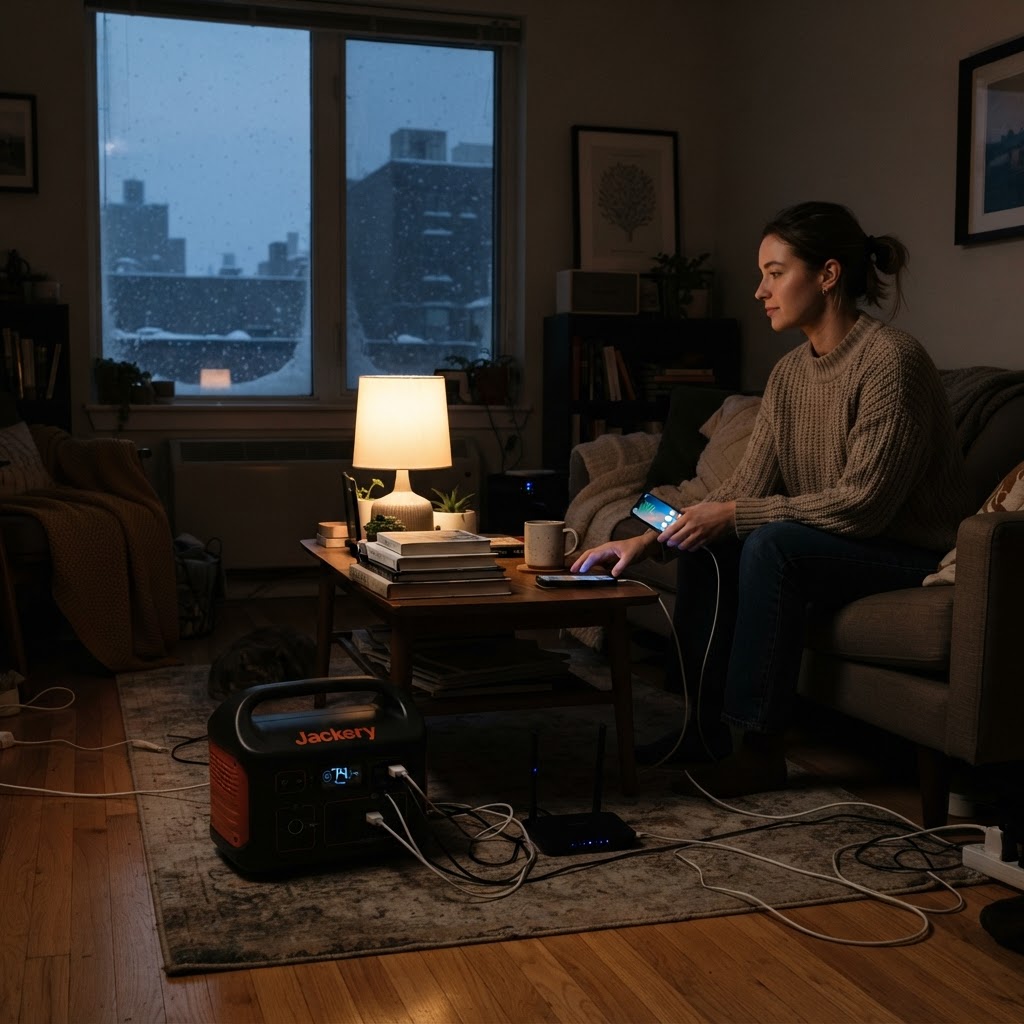
Top Picks This Round
Jackery Explorer 1000 v2
The 2024 update to a legend, this unit features a 50% smaller footprint than previous generations and a folding handle for easy closet storage.
- +Very user-friendly interface
- +Compact folding handle design
- +Silent charging mode available
Bluetti AC180
Features a highly efficient 1152Wh LiFePO4 battery and a 20ms UPS mode, making it the perfect fail-safe for remote workers in small apartments.
- +Excellent 20ms UPS transition
- +Very quiet operation in ECO mode
- +High-efficiency inverter technology
Anker Solix C1000
A sleek, vertically-designed power station that maximizes floor space while delivering a massive 1800W output for heavy-duty appliances.
- +Ultra-slim space-saving footprint
- +HyperFlash technology for fast refills
- +SurgePad powers 2400W devices
EcoFlow Delta 2
The industry gold standard for apartment dwellers, offering a 1024Wh capacity that can charge from 0-80% in just 50 minutes for rapid emergency readiness.
- +Industry-leading AC charging speed
- +Expandable capacity up to 3kWh
- +LFP battery with 3000+ cycle life
The short answer: for most renters, the EcoFlow Delta 2 is the best portable power station for small apartments because it balances capacity, fast recharging, apartment-friendly size, and enough output to cover the stuff people actually care about in a winter blackout: phones, lights, Wi-Fi, laptops, a TV, and some kitchen basics.
If you live in a small apartment, backup power is a different game than it is in a house. You are not trying to run a whole-home panel or keep a garage freezer alive for three days. Most of us just want clean, indoor-safe backup power that can sit in a closet, come out fast when the lights go down, and keep daily life from turning into a mess. That is why I lean toward compact 700Wh to 1200Wh units for apartment blackout backup power instead of huge battery boxes that are awkward to store and overkill for the job.
I also think renters need to be pickier than homeowners. Floor space matters. Noise matters. Handle design matters. Fast wall charging matters because you may not have a balcony for solar, and you may want to top off the unit quickly when a storm warning hits. Every pick below is a battery-based indoor safe generator for apartments, and every one of them makes sense for a slightly different kind of renter.
One quick note before we get into the list: this site has not hands-on tested these models. I am basing these picks on manufacturer specs, official product documentation, and verified customer-review patterns, then filtering that through what actually matters in a small apartment during winter blackouts.
Quick Comparison
| Product | Best For | Key Spec | value tiers |
|---|---|---|---|
| Jackery Explorer 1000 v2 | Home backup | 50% smaller footprint with folding handle | Premium |
| Bluetti AC180 | Premium | 1152Wh battery with 20ms UPS mode | Premium |
| Anker Solix C1000 | Fast charging | 1800W output with slim vertical design | Mid-range |
| EcoFlow Delta 2 | Overall | 1024Wh and 0-80% recharge in 50 minutes | Mid-range |
| Anker 535 Portable Power Station | Ultra-portable | 512Wh with built-in light bar | Mid-range |
| EcoFlow River 2 Pro | Budget | 768Wh at 17.2 lbs | Budget |
| Jackery Explorer 300 Plus | CPAP | Drawer-friendly size with dual 100W USB-C | Budget |
1. Jackery Explorer 1000 v2 — Best for home backup
If your apartment outage plan is basically keep the essentials alive and stay comfortable for a night or two, the Jackery Explorer 1000 v2 makes a lot of sense. What stands out here is not just the 1000-class size, but the fact that Jackery shrunk the footprint and added a folding handle. For renters, that matters more than people admit. A power station that slides onto a closet shelf or into a corner without wasting space is a lot easier to actually keep charged and ready.
I also like this one for people who do not want a learning curve. Jackery gear is usually straightforward, and this model looks especially friendly if you just want to press a button and get through a blackout. Compared with the Bluetti AC180, it gives up some of that UPS-focused appeal, but it wins on tidy storage. Compared with the EcoFlow Delta 2, it feels more about calm, simple backup than speed-first features.
The trade-off is that Jackery still uses an external charging brick, which is one more thing to keep track of in a cramped apartment. It also gives you fewer USB-C options than some rivals, so if your household is heavy on USB-C laptops and tablets, the Delta 2 or Explorer 300 Plus may feel more convenient day to day.
Pros:
- Very easy interface with little fuss in an outage
- Folding handle makes closet storage easier than fixed-handle designs
- Silent charging mode is useful in a studio or bedroom setup
Cons:
- The charging brick is still external, so there is another piece to store
- USB-C port count is a bit limited versus some competitors
2. Bluetti AC180 — Best premium
The Bluetti AC180 is the one I would point remote workers toward if they want a more premium apartment backup setup. The headline feature is the 20ms UPS mode. That is the kind of thing that matters if your modem, router, desktop, or work setup really should not drop hard during a flicker or short outage. In a small apartment, one device that covers both backup power and near-UPS duty can justify spending a bit more.
Its 1152Wh battery gives you a little more energy than the Delta 2, and the quiet ECO mode is a real plus when your power station is sitting six feet from your couch. Compared with the Jackery Explorer 1000 v2, the Bluetti feels more feature-focused. Compared with the Anker Solix C1000, it is less about fast refill drama and more about steady, efficient backup with a strong home-office angle.
The catch is physical shape. The fixed handles are practical for lifting, but they do take up space, and space is exactly what apartment buyers are trying to save. DC charging is also slower than AC, so if you were planning to lean heavily on solar or car charging, that is worth noting before you spend premium money.
Pros:
- 20ms UPS transition is especially useful for work-from-home setups
- Very quiet in ECO mode, which is a big deal indoors
- Efficient inverter design helps stretch battery use
Cons:
- Fixed side handles make it bulkier to store
- DC charging is not as quick as its AC charging experience
3. Anker Solix C1000 — Best for fast charging
If recharge speed is your main concern, the Anker Solix C1000 is the one that jumps out. Fast wall charging matters a lot for renters because many apartment users are not pairing their unit with permanent solar panels. They want to hear about an incoming winter storm, plug the station in after dinner, and have it ready before bed. That is exactly where this model fits.
The other reason I like the Anker Solix C1000 for renters is the vertical shape. A slim footprint is genuinely useful in apartments where every square foot is spoken for. The 1800W output is also strong for its class, and the SurgePad feature gives it more flexibility than smaller stations when you need to power something with a brief higher draw. Compared with the EcoFlow Delta 2, this one leans a bit harder into compact floor use and higher appliance confidence. Compared with the River 2 Pro, it is in a completely different league for heavy loads.
The downside is weight. It is not absurdly heavy, but it is not the easiest grab-and-go unit in the group. And if you like the idea of expanding later, remember the extra battery costs more. For renters who want one box and done, that may not matter. For people planning a modular system, the Delta 2 can be the cleaner value play.
Pros:
- Space-saving slim profile works well in tight rooms
- HyperFlash charging makes fast top-offs easy before a storm
- SurgePad gives more headroom for demanding devices
Cons:
- A little heavier than some similarly sized rivals
- Expansion battery is extra, not included
4. EcoFlow Delta 2 — Best overall
The EcoFlow Delta 2 is still the easiest all-around recommendation for most apartment dwellers. It hits the sweet spot: 1024Wh is enough to matter during an outage, 1800W-class output is enough for a broad range of household basics, and the recharge speed is among the biggest practical advantages in this whole category. Going from near-empty to 80% in about 50 minutes is not a gimmick when you are watching storm alerts and trying to get prepared fast.
What makes it the best compact power station for emergencies is not that it is the tiniest unit here. It is that it feels complete for the money. You get an LFP battery chemistry with 3000-plus cycle life, the option to expand up to 3kWh, and a size that still works in apartment living. Compared with the Jackery Explorer 1000 v2, it is less storage-focused but quicker to refill. Compared with the Bluetti AC180, it gives up a little on battery size and UPS appeal, but it is a stronger all-purpose value for most people.
The main complaint I would flag is fan noise under heavier loads. If you are running it hard in a studio while trying to sleep, you will notice it more than you would with the quieter Bluetti. The app account setup also will not be everybody's favorite. Still, if you want one recommendation that works for the widest range of renters, this is the one I would start with.
Pros:
- Very fast AC charging, which is a real advantage before blackouts
- Expandable up to 3kWh if your needs grow later
- LFP battery is built for long cycle life
Cons:
- Cooling fans can get loud at higher loads
- The app setup requires creating an account
5. Anker 535 Portable Power Station — Best ultra-portable
The Anker 535 Portable Power Station is the one I like for renters who move often, live in a walk-up, or simply want something easier to carry from closet to kitchen to bedroom. At 512Wh, this is not your big blackout anchor, but it is enough for lights, phones, a laptop, modem, and smaller comfort gear. For a lot of apartment users, that covers the first phase of an outage better than they expect.
I also think the built-in light bar is more useful than it sounds. During a winter blackout, not having to hunt down a flashlight is one less headache. Compared with the EcoFlow River 2 Pro, the Anker 535 gives you less total energy, so the River 2 Pro is the better pure value. But the 535 has a tougher, more durable feel on paper, and I would rather toss it in a trunk or move it between apartments without worrying as much.
The compromise is speed and information. Charging is slower than the newer Solix line, and the display is not as detailed as some people want. So I would not choose this one if you are very runtime-focused or if you want the fastest refill before a storm. I would choose it if portability and durability come first.
Pros:
- Durable unibody shell should hold up well to moving around
- Built-in warm light bar is genuinely handy during outages
- Long 5-year full device warranty adds peace of mind
Cons:
- Charges slower than Anker's Solix models
- Display is less precise about time remaining than some rivals
6. EcoFlow River 2 Pro — Best budget
If you want solid apartment blackout backup power without spending big, the EcoFlow River 2 Pro is the budget pick I would start with. The reason is simple: 768Wh is enough to be useful, 17.2 pounds is easy to move, and the fast 70-minute full recharge makes it realistic to keep ready even if you are a forgetful charger. That combination is hard to beat at the budget end.
This is the one I would suggest for smaller apartments, college rentals, or anyone whose outage plan is focused on communications, lighting, fans, and basic comfort. Compared with the Anker 535, you get more energy for the money. Compared with the Jackery Explorer 300 Plus, you get way more flexibility if you want to run several devices instead of just one medical or bedside setup.
The limit is output. With 800W total, it is not the unit for coffee makers, hot plates, or other heavier kitchen loads. If you know you want to run bigger appliances, step up to the Delta 2 or Solix C1000. But if your goal is budget-minded emergency coverage and easy carrying, this one earns its spot.
Pros:
- Very light for the amount of battery you get
- Fast full recharge helps you prep quickly
- Strong value per watt-hour in the budget class
Cons:
- Not a good fit for high-draw kitchen devices
- 800W output ceiling is limiting for bigger loads
7. Jackery Explorer 300 Plus — Best for CPAP
The Jackery Explorer 300 Plus has a very specific job, and that is why I like it. If your top priority is powering a CPAP, charging medical devices, or keeping a bedside setup alive overnight, a smaller station that fits on a nightstand or in a drawer can be smarter than buying a bulkier all-purpose box. In a tiny apartment bedroom, that convenience matters.
The dual 100W USB-C ports also make it more useful than a typical mini power station for modern electronics. Compared with the Anker 535 or River 2 Pro, it gives up a lot of capacity, so it is not my pick for whole-apartment emergency coverage. But compared with those larger units, it is much easier to keep nearby every single night, which is exactly the point for medical and bedside use.
The biggest limitation is obvious: one AC outlet and lower capacity. So I would treat this as a specialty pick, not a general-family outage station. If you only need to protect one critical device and a few chargers, it is a smart little unit. If you want to cover a living room, office corner, and kitchen basics, move up the list.
Pros:
- Small enough for a drawer, shelf, or nightstand
- LiFePO4 battery chemistry is reassuring for indoor use
- Dual 100W USB-C ports are great for modern gear
Cons:
- Only one AC outlet limits how many things you can plug in
- Capacity is too low for broader outage coverage
How I Picked These
I did not build this list around flashy marketing claims or giant capacity numbers. I looked at what actually matters when you live in an apartment and the power goes out: can the unit stay stored without becoming a nuisance, can it run the basics people care about, and can it recharge fast enough to be ready when a storm is coming.
I also weighed watt-hours against rated watts. Battery capacity tells you how long the station can run your gear. Rated output tells you what it can run at all. A balanced apartment unit needs both. I paid close attention to battery chemistry too. LiFePO4 is usually the safer bet for long cycle life and regular use, while older chemistries can still be fine but often do not age as gracefully.
Beyond that, I looked at solar input flexibility, portability, handle design, value per watt-hour, and customer-review patterns around noise, app usability, and charging behavior. Again, these recommendations are based on manufacturer specs, official product documentation, and verified customer-review patterns, not hands-on testing by this site.
Things to Watch Out For
- Confusing Wh with W: Watt-hours tell you runtime. Watts tell you whether the device will turn on in the first place. A 500Wh unit with low output can still fail to run a higher-draw appliance.
- Peak power versus continuous power: Some brands promote surge numbers heavily. What matters more is the continuous inverter rating, because that is what your gear can rely on.
- Solar input limits: Not every station takes in solar at the same speed. If you have access to a balcony panel or emergency fold-out panel, check the solar input ceiling before assuming quick recharging.
- Thinking all kitchen devices are fair game: Space heaters, coffee makers, toaster ovens, and hot plates can overwhelm smaller stations fast. Even if the unit starts them, runtime may be terrible.
- Believing advertised runtime too literally: Real-world runtime depends on inverter losses, battery reserve behavior, and how steady the load is. Expect usable runtime to land below the simple math on the box.
Frequently Asked Questions
What size power station do I need for a small apartment?
The direct answer: for most renters, 700Wh to 1200Wh is the sweet spot. That range is usually enough for lights, phones, Wi-Fi, laptops, and a few comfort devices without getting too big to store.
Is a portable power station an indoor safe generator for apartments?
The direct answer: yes, battery power stations are designed for indoor use. You still need normal ventilation around the unit and should follow the maker's charging and storage guidance, but they are the apartment-friendly backup option.
Can I run a refrigerator in an apartment blackout?
The direct answer: maybe, but not with every model on this list. Higher-output units like the EcoFlow Delta 2, Anker Solix C1000, or Bluetti AC180 have a better shot, while smaller stations are better kept for electronics and lights.
How long will a 1000Wh power station last during a blackout?
The direct answer: for small electronics and Wi-Fi, a 1000Wh unit can often cover many hours or even overnight. Runtime drops fast once you add TVs, fans, or anything with heating elements.
Should renters buy solar panels with their power station?
The direct answer: only if you realistically have a place to use them. For many apartment renters, fast AC wall charging matters more than solar, unless you have a balcony, shared outdoor access, or a clear emergency charging plan.
The Verdict
Best overall: EcoFlow Delta 2 — the best balance of capacity, recharge speed, output, and long-life battery chemistry for typical apartment outages. Check today's prices on Amazon →
Best budget: EcoFlow River 2 Pro — a smart lower-cost pick if you want useful emergency runtime without dragging around a heavy box. Check today's prices on Amazon →
Best premium: Bluetti AC180 — the stronger fit for renters who want more battery, quieter indoor behavior, and UPS-friendly backup for work gear. Check today's prices on Amazon →
Related Guides
- Best 1000Wh Power Stations for Home Backup
- LiFePO4 vs NMC Batteries: Which Lasts Longer in a Power Station?
- How to Size a Solar Generator for Winter Blackout Use
- Best Compact Power Stations for CPAP and Medical Devices
All Featured Products
Jackery Explorer 1000 v2
The 2024 update to a legend, this unit features a 50% smaller footprint than previous generations and a folding handle for easy closet storage.
- +Very user-friendly interface
- +Compact folding handle design
- +Silent charging mode available
Bluetti AC180
Features a highly efficient 1152Wh LiFePO4 battery and a 20ms UPS mode, making it the perfect fail-safe for remote workers in small apartments.
- +Excellent 20ms UPS transition
- +Very quiet operation in ECO mode
- +High-efficiency inverter technology
Anker Solix C1000
A sleek, vertically-designed power station that maximizes floor space while delivering a massive 1800W output for heavy-duty appliances.
- +Ultra-slim space-saving footprint
- +HyperFlash technology for fast refills
- +SurgePad powers 2400W devices
EcoFlow Delta 2
The industry gold standard for apartment dwellers, offering a 1024Wh capacity that can charge from 0-80% in just 50 minutes for rapid emergency readiness.
- +Industry-leading AC charging speed
- +Expandable capacity up to 3kWh
- +LFP battery with 3000+ cycle life
Anker 535 Portable Power Station
Built with a drop-proof structure and a 10-year lifespan, this 512Wh station is the most durable option for renters on the move.
- +Impact-resistant unibody design
- +Built-in warm light bar for outages
- +5-year full device warranty
EcoFlow River 2 Pro
A lightweight, budget-friendly powerhouse that provides 768Wh of energy, ideal for keeping fans and lights running during local grid failures.
- +Extremely lightweight at 17.2 lbs
- +Full charge in just 70 minutes
- +Very affordable price per watt-hour
Jackery Explorer 300 Plus
Compact enough to sit on a nightstand, this unit is specifically optimized for running CPAP machines and charging medical devices overnight.
- +Small enough to fit in a drawer
- +LiFePO4 battery for maximum safety
- +Dual PD 100W USB-C ports
Frequently Asked Questions
What size power station do I need for a small apartment?
For most renters, 700Wh to 1200Wh is the sweet spot. That is usually enough for lights, phones, Wi-Fi, laptops, and a few comfort devices without becoming too bulky to store.
Is a portable power station an indoor safe generator for apartments?
Yes, battery power stations are designed for indoor use. You should still leave space around the unit and follow the maker's charging and storage guidance.
Can I run a refrigerator in an apartment blackout?
Maybe, but not with every model. Higher-output units like the EcoFlow Delta 2, Anker Solix C1000, and Bluetti AC180 are better candidates than smaller bedside or budget models.
How long will a 1000Wh power station last during a blackout?
For small electronics and Wi-Fi, a 1000Wh unit can often last many hours or overnight. Runtime drops much faster with TVs, fans, or anything that makes heat.
Should renters buy solar panels with their power station?
Only if they have a realistic place to use them, like a balcony or shared outdoor space. For many renters, fast wall charging is more useful than adding solar right away.